Novelcrafter
Connect Novelcrafter to Featherless in minutes. Add an OpenAI compatible connection with the base URL, your API key and a custom model list.
Novelcrafter is a writing app for novelists that lets you bring your own AI provider. This guide covers the Novelcrafter API setup for Featherless using an OpenAI compatible connection.
Before you start
You'll need:
An API key
A Novelcrafter account, open in your browser
Novelcrafter uses the Featherless base URL: https://api.featherless.ai/v1
How do I connect Novelcrafter to Featherless?
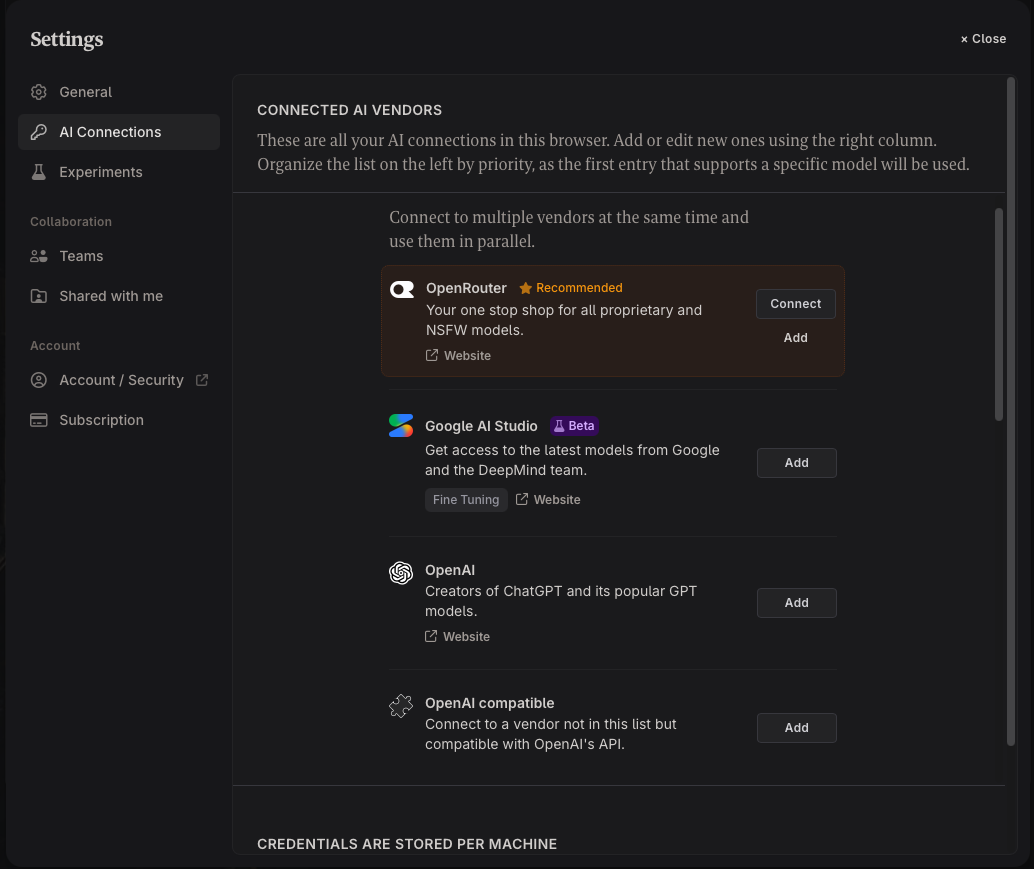
Open Settings → AI Connections.
Next to OpenAI compatible, click Add.
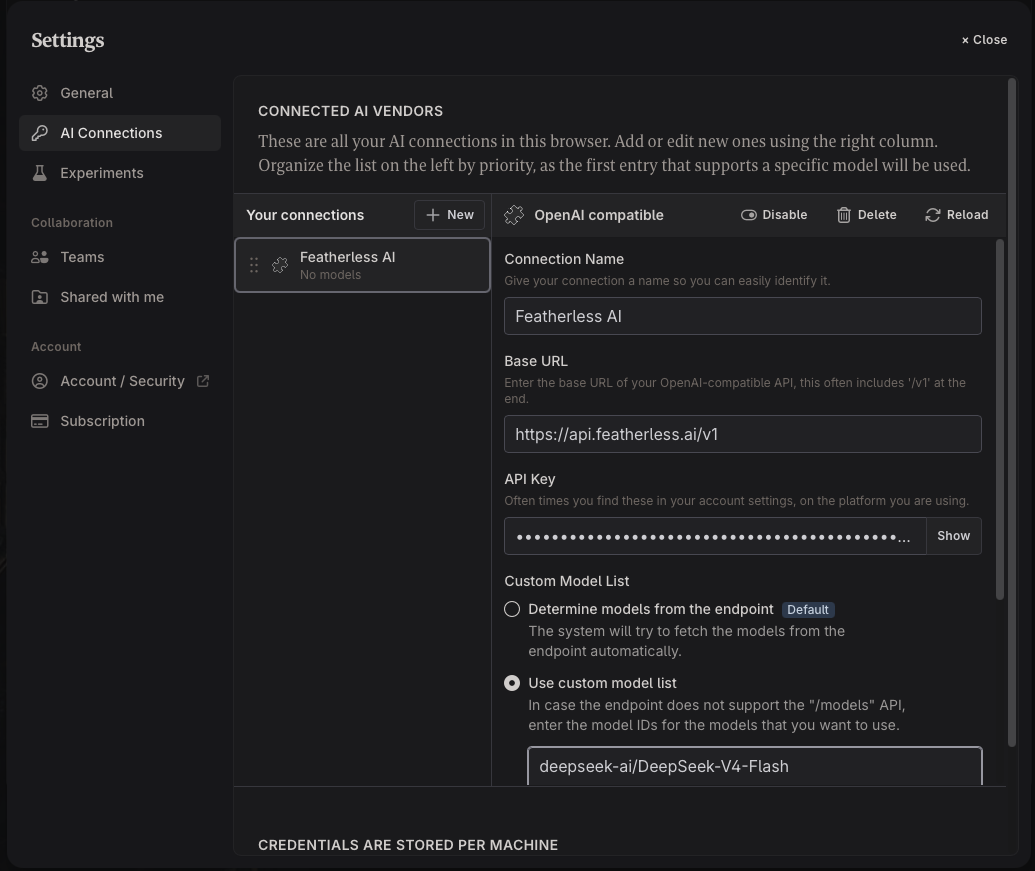
In Connection Name, enter
Featherless AI.In Base URL, enter
https://api.featherless.ai/v1In API Key, paste your Featherless API key.
Go to featherless.ai/models, pick a model, and copy its model ID.
Under Custom Model List, select Use custom model list.
Paste the model ID into the box.
Click Reload.
First message
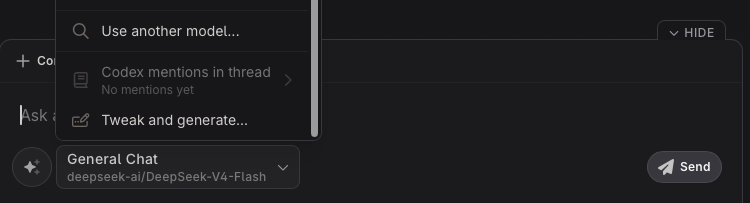
Open a novel and click the model selector at the bottom of the chat box. Choose Use another model…, select your model, and send a short message like Hello. If you get a reply, you're set. To switch models later, add the new model ID to the custom model list and click Reload.
Troubleshooting
The connection says No models: click Reload, and check the model ID is in the custom model list.
404 / Not Found: check Base URL. Novelcrafter expects the base URL ending in
/v1, not the full/chat/completionsendpoint.401 / Unauthorized: your API key is missing or mistyped. Copy it again from your API keys page.
The model picker is full of models you don't use: the connection is set to Determine models from the endpoint. Switch to Use custom model list, add your model IDs and click Reload.
Model not found: the model ID must match exactly, including capitals.
Model errors or won't load: the model may need a higher plan. See Plans.
Too many requests: see Concurrency limits.
FAQ
Which model should I use with Novelcrafter?
It depends on your genre and how you write. You can browse all models and try several; switching only means changing the model ID.
Why use a custom model list instead of loading models from the endpoint?
Loading from the endpoint adds the whole Featherless catalogue to your model picker. A custom list keeps only the models you use.
Is Featherless in Novelcrafter's vendor list?
No. Add it as an OpenAI compatible connection, as above.
Does Featherless log my Novelcrafter manuscripts?
No. Featherless doesn't log prompts or chat history. See Privacy and Logging.
Related guides
Resources
Novelcrafter help: OpenAI API Compatible connections